SkinsMonkey has been operating since 2020 (6+ years), and is one of 26 markets SkinWise tracks live (currently 9,377 listings). It is included in our price comparisons with a direct Buy option. No marketplace is risk-free, so follow the basics everywhere: type the domain yourself (phishing clones are the #1 skin scam), enable 2FA, and never move a trade off-platform.
Is it safe to sell on SkinsMonkey?
SkinsMonkey settles in site credit or skin trades rather than cash via trade — fine for re-trading, not for cashing out to a bank. Before a large sale, do a small test transaction first, confirm the payout method available in your country, and compare the NET amount (after fees) against other markets — the same skin often nets more elsewhere.
How much are SkinsMonkey fees?
SkinsMonkey charges no listed fee — its margin is built into the buy/sell spread instead, so the effective cost varies per item. Compare the actual quote against what a fee-charging cash market nets you before accepting.
SkinsMonkey is a third-party CS2 trading site where you swap skins from your Steam inventory for site balance, then spend that balance on other skins. It suits casual traders who want a fast, low-friction way to upgrade an inventory without haggling, and it is not built for people whose main goal is turning skins into cash. This SkinsMonkey review is written from a trust-and-safety angle: who runs it, how payouts actually work, and whether it is safe to use.
Last updated: June 8, 2026.Fees and figures checked: June 2026. We track 12,303 live SkinsMonkey listings and refresh prices regularly.
💡 Verdict
Is SkinsMonkey legit? Yes. It is operated by a registered Cyprus company that has been live since 2020, it holds a solid public review score, and it uses bot escrow plus 2FA. The big caveat is the payout model: balance you earn by selling skins is trade credit, not withdrawable cash, so this is a swap-and-buy platform, not a cash-out service. Use it if you want to trade up or buy skins cheaply and you are happy keeping value inside the skin ecosystem.
SkinsMonkey at a glance
0.0%
Seller trading fee
~$100.00
Seller nets on a $100 sale
12,303
Live listings SkinWise tracks
Trade credit
Payout method (site balance)
SkinsMonkey runs on a simple loop. You connect your Steam account, deposit skins or cash to a site balance, and use that balance to claim items from the catalog. Because it is a trade-based marketplace rather than a peer-to-peer cash exchange, the "payout" is store credit you reinvest, which is the single most important thing to understand before you sign up.
Fees and payouts
The headline number is good: the seller trading fee is 0.0%, so a $100 sale credits about $100.00 to your balance. There is no per-trade commission skimmed off the top the way some P2P markets do.
Item
What you get
Trading fee
0.0%
Net on a $100 sale
~$100.00
Payout form
SkinsMonkey balance (trade credit)
Typical trade speed
Minutes, when bots and Steam are healthy
Here is the honest nuance a fee table alone will not show you. A 0% trading fee does not mean zero cost. On any swap site, the platform's margin lives in the spread between what your skin is valued at and what it charges for the skin you want. So compare the effective value of the trade, not just the fee line. That is exactly what cross-market price comparison is for, and you can check live gaps on our price catalog and biggest current price gaps.
On payouts specifically: the balance you build by selling skins is designed to be spent on the site. It is not a wallet you can cash out to a bank or card. If your goal is real money, SkinsMonkey is the wrong tool, and you should look at markets that support direct withdrawals. We cover several of those, including White.Market and ShadowPay.
⚠️ Heads up
Treat SkinsMonkey balance like store credit. Once skins become balance, the realistic exit is more skins, not cash. Plan your trades around items you actually want to hold or use.
On the checks that matter to me, SkinsMonkey clears the bar.
Company and track record. It is run by a real registered entity, Virtual Asset Empire LTD, based in Nicosia, Cyprus, with an active company status on the Cyprus registry and a corporate filing dating to 2020. Disclosed ownership beats the anonymous, Discord-only operators I tell people to avoid.
Reputation under volume. Independent review aggregators put it around the low-to-mid four-star range across a large volume of reviews, and recurring praise points at fast live-chat support resolving stuck or bugged trades. That pattern (real humans fixing real trade problems quickly) is a healthy sign.
Escrow and trade safety. Trades route through the platform's bots rather than a stranger sending you an offer directly, which removes the classic fake-middleman setup where a "trusted" third party vanishes with your item.
2FA and account security. The platform supports two-factor authentication and requires Steam Guard Mobile Authenticator on your Steam side, and it runs standard SSL. Turn 2FA on immediately. Most account losses I investigate are credential theft, not a marketplace breach.
Disputes. Support is handled through live chat and tickets, and the visible record shows trade balance and stuck-trade issues getting reversed or resolved rather than ignored.
What keeps this short of a glowing security rave is the credit-only payout model and the usual third-party reality: you are trusting a private company's bots and balance system, not a regulated bank. That is fine for trading. It is not the same as money sitting in insured escrow.
✅ Tip
The biggest danger around any popular skin site is not the site itself, it is the clone. Bookmark the real domain, never log in from a Discord or ad link, and be ruthless about "verify your inventory" pages and spoofed trade offers. A legit marketplace never needs your Steam password or your API key handed over in chat.
Pros
0.0% seller trading fee
Registered, non-anonymous operator since 2020
Bot escrow removes fake-middleman risk
Fast, well-reviewed live-chat support
Large live catalog (12,303 listings we track)
2FA and SSL in place
Cons
Payout is trade credit, not withdrawable cash
Real cost hides in the pricing spread, not the fee
No regulated/insured escrow (standard for the sector)
Crypto/skin deposits suit some users more than others
You must secure your own Steam account; clones are the main threat
How to buy and sell on SkinsMonkey
To sell (trade your skins for balance):
1. Sign in with Steam and make sure Steam Guard Mobile Authenticator is active.
2. Set your Steam trade URL and enable 2FA on the account.
3. Pick the skins you want to offer and confirm the valuation.
4. Accept the bot trade offer in Steam, and check the bot name matches before confirming.
5. Your SkinsMonkey balance updates once the trade completes.
To buy (spend balance on skins):
1. Top up balance by selling skins or depositing via a supported method.
2. Browse the catalog and compare against live prices elsewhere first.
3. Add items to your trade and confirm.
4. Accept the incoming bot trade offer in Steam to receive the skins.
Before you commit, it is worth valuing your whole inventory so you trade from a real number, not a guess. Our inventory value tool does that in a few clicks.
How SkinsMonkey compares
Against Steam, the math is friendly. The Steam Community Market keeps roughly 15% of a sale and locks all proceeds inside your Steam Wallet, so it is also a credit-only system, just a more expensive one. SkinsMonkey's 0% trading fee means more of your skin's value reaches your next trade.
Seller trading fee by marketplace
SkinsMonkey
0
Steam Community Market
15
The honest caveat repeats here: a low fee is necessary but not sufficient. Value still depends on each site's pricing spread, so the smart move is to price-check the exact item across markets. If your priority is cashing out rather than swapping, trade-focused and withdrawal-focused sites behave very differently, and it is worth reading a few side by side, such as Swap.gg, CS.TRADE, and LOOT.Farm. You can see them all in one place on our marketplace comparison.
FAQ
Is SkinsMonkey legit?
Yes. It is operated by Virtual Asset Empire LTD, a Cyprus-registered company active since 2020, with a large body of mostly positive public reviews and standard security features. It behaves like a real, accountable marketplace rather than an anonymous flip-by-night site.
How long do SkinsMonkey payouts take?
Skin trades typically complete within minutes when the bots and Steam's trade system are healthy. The important point is that selling skins gives you SkinsMonkey balance, which is trade credit you spend on the site, not cash sent to a bank.
What are SkinsMonkey fees?
The seller trading fee is 0.0%, so a $100 sale credits about $100.00 to your balance. There is no separate per-trade commission, but remember the platform's margin sits in the pricing spread, so always compare effective value.
Can I withdraw real money from SkinsMonkey?
Balance earned from selling skins is meant to be reinvested in other skins, not withdrawn as cash. If cashing out to a card or crypto is your goal, use a withdrawal-focused marketplace instead and compare them on our markets page.
Is SkinsMonkey cheaper than the Steam Market?
On fees, clearly yes. Steam keeps around 15% of a sale and traps the proceeds in your Steam Wallet, while SkinsMonkey charges 0% to trade. Whether a specific skin is cheaper still comes down to live pricing, so check the item first.
Is it safe to buy and sell on SkinsMonkey?
For trading, yes, provided you enable 2FA, use the Steam Mobile Authenticator, and only ever log in from the real domain. Bot escrow handles the trade itself. The main risk is not the site, it is phishing clones and fake trade offers aimed at your Steam account.
Does SkinsMonkey require KYC?
As a skin-to-skin trading platform with credit-only balance, it does not function like a regulated cash-out service, so do not expect bank-grade identity checks. That is normal for swap sites, and it is another reason the balance is not freely withdrawable.
What is the catch with the 0% fee?
The catch is the spread. A 0% trading fee is genuinely good, but a marketplace still earns on the difference between what it values your skin at and what it charges for the one you want. Compare prices across sites before you trade.
The verdict
SkinsMonkey is a legitimate, well-run CS2 trading site with a real company behind it, a 0% trading fee, bot escrow, and 2FA. The single thing to keep front of mind is that it pays you in trade credit, not cash, so it is excellent for upgrading and buying skins and the wrong tool for turning an inventory into money.
Legit and safe to trade. Trade credit only, so not a cash-out venue. Use it to swap and buy, not to withdraw.
Sven, SkinWise
Want to make sure you are getting the best value before you trade? Compare live prices across every major site on the SkinWise price catalog and deals page, and value your inventory first with our inventory tool.
 Dual Berettas
 ★ Paracord Knife
 ★ Bowie Knife
 ★ Survival Knife
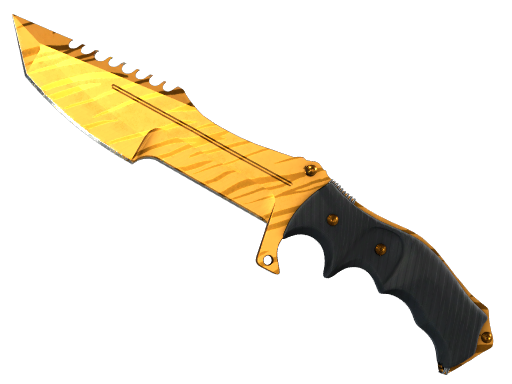 ★ Huntsman Knife
 ★ Shadow Daggers